
Table of Contents
- Planning Your Security System Installation: Site Assessment and Scope
- Security System Installation Checklist: What to Confirm Before Work Starts
- Security Camera Placement Guide for Full Coverage
- Wired vs Wireless Security System: Which Suits Your Property
- Cabling, Connections and Equipment Positioning
- Security System Installation Time: What Drives the Schedule
- Testing, Commissioning and Handover
- Ongoing Maintenance, Cybersecurity and Upgrades
- Frequently Asked Questions
Last Updated: October 15, 2026
Planning Your Security System Installation: Site Assessment and Scope
A professional security system installation begins long before anyone drills a hole.
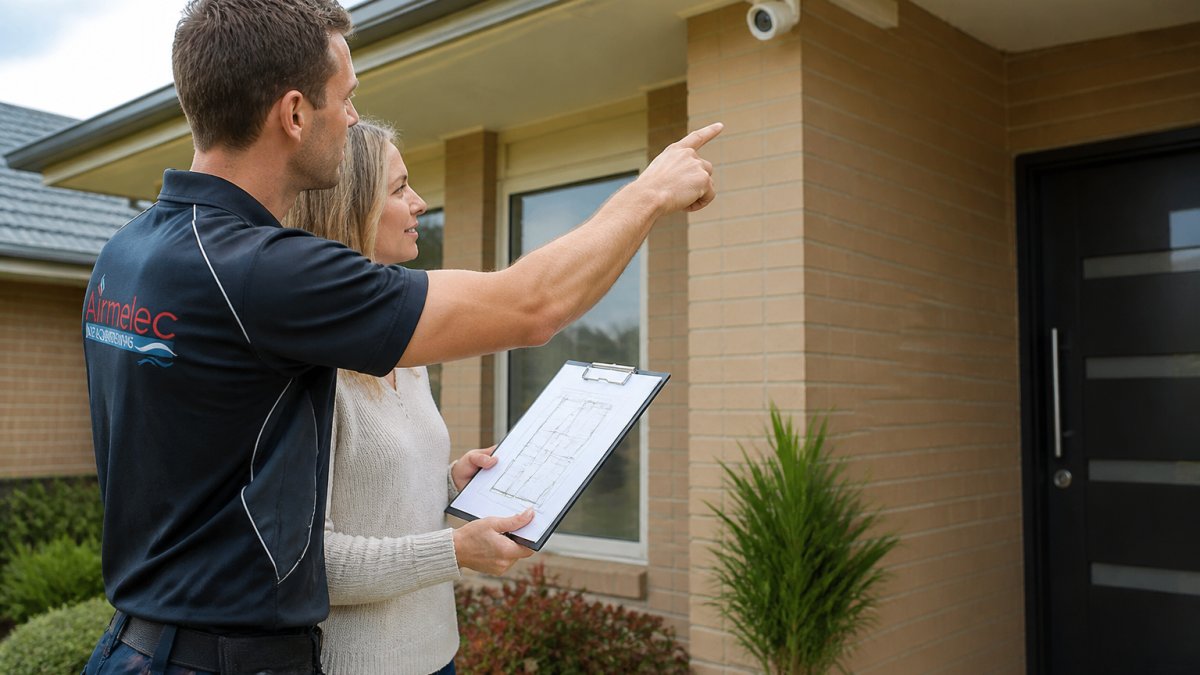
Most homeowners skip this step. They buy a kit, mount cameras where the box suggests, and wonder months later why the side gate or the back shed never appears on footage.
Scope of work is the document that comes out of this visit. It lists what is being installed, where, and why, plus what is excluded.
A practical assessment covers:
- Every entry point: doors, windows, garage, side gates
- Blind spots created by trees, fences, or neighbouring structures
- Where power and data can realistically reach
- Whether you need cameras only, or alarms, sensors, and access control as well
Walk your property at night before the installer arrives. Lighting changes everything about camera placement, and the spots that look obvious in daylight are often the ones that fail after dark.
Security System Installation Checklist: What to Confirm Before Work Starts
A security system installation checklist keeps the job predictable. Before work begins, confirm four things: the scope of work, the installer’s licence and credentials, the equipment list, and the access arrangements for the day.
Ask for the licence number and check it against the relevant state or territory regulator, since security work is licensed separately from general electrical work in most jurisdictions.
- Signed scope of work with inclusions and exclusions
- Installer licence verified with the state regulator
- Equipment list with model numbers confirmed
- Power and network points identified
- Access times and site contact agreed
Skipping the licence check is a common mistake. Unlicensed installers often cut corners on cabling and earthing, and you carry the risk if something fails or a claim is ever made.
Security Camera Placement Guide for Full Coverage
Good camera placement comes down to one rule: cover the approach, not just the target. A camera pointed at a door tells you someone arrived.
The security camera placement guide most installers follow starts at the perimeter and works inward.
Practical placement notes:
- Mount cameras high enough to be out of easy reach, but angled to capture faces, not just the tops of heads
- Avoid pointing directly at the sun or at a bright streetlight
- Keep cameras away from dense foliage that will trigger false alerts in wind
- Cover gates, bins, and letterboxes, which are common points of interest
Mounting locations matter as much as camera count. A well-placed pair of cameras will outperform four poorly positioned ones every time.
Wired vs Wireless Security System: Which Suits Your Property
The wired vs wireless security system decision usually comes down to your building, not your budget. Wired systems run power and data over dedicated cabling, which makes them more reliable, harder to jam, and free of battery swaps, but they require access through walls, ceilings, or roof voids.
| Factor | Wired | Wireless |
|---|---|---|
| Reliability | High, no signal dropouts or interference | Depends on Wi-Fi, channel congestion, and interference |
| Power | Mains-powered, no battery changes | Battery or mains adaptor; batteries need scheduled replacement |
| Installation effort | Higher, requires cabling and wall or ceiling access | Lower, minimal disruption |
| Jamming and tampering | Harder to disrupt remotely | More exposed to RF interference and deliberate jamming |
| Ongoing upkeep | Minimal | Battery, signal, and firmware checks |
| Best for | New builds, renovations, larger sites, multi-building properties | Rented or heritage properties, retrofits, temporary setups |
For a new build or a granny flat, run the cabling while the walls are open. Retrofitting later costs far more in time and mess.
A few practical points most guides skip:
- Signal is not the same as coverage. A wireless camera can show full bars and still drop frames if the network is congested or the router is overloaded. Check both signal strength and sustained throughput at each camera location before committing.
- Battery life is a design choice, not a guarantee. Cold weather, frequent motion triggers, and high-resolution recording all shorten battery life. A camera rated for months may deliver weeks in a busy driveway.
- Wired does not mean analogue. Modern wired systems can be IP-based, carrying power and data over a single cable, which simplifies installation and improves reliability.
- Hybrid systems are common. Many properties run wired cameras on the perimeter and wireless sensors indoors, or vice versa. The right answer is often a mix, not a single technology.
If you are choosing wireless, test the network at the busiest time of day, not at 10am when the street is quiet. Congestion from neighbouring networks is a common cause of dropouts that only appear in the evening.
Whichever route you take, confirm the recorder, network switch, and power supply can handle the full device count plus headroom for expansion. A system sized to exactly today’s needs will need replacing the moment you add a camera.
Cabling, Connections and Equipment Positioning
Cabling is where installation quality is won or lost. Poorly run cable, undersized power supplies, or joins hidden behind plaster are the reasons systems fail two years later, not two weeks later.
Run cable in protected routes where possible, keep data and power separated to reduce interference, and label every run at both ends.
Equipment positioning follows the same logic. Put the recorder and network gear somewhere secure, ventilated, and out of easy reach.
Label both ends of every cable run. It costs minutes during installation and saves hours every time the system is serviced or extended.
Security System Installation Time: What Drives the Schedule
Security system installation time varies far more than most quotes suggest. A straightforward four-camera wireless setup on a single-storey home might be finished in a day. A wired system across a two-storey house with access control, alarms, and multiple outbuildings can run across several days.
The main drivers:
- Cable runs: distance, wall construction, and whether ceilings or roofs are accessible
- Number of devices: cameras, sensors, keypads, and door hardware
- Network readiness: whether reliable Wi-Fi and switching already exist
- Programming: how much customisation the system needs
- Access constraints: working around occupants, pets, or business hours
Be sceptical of a firm time estimate given before anyone has seen the property. A realistic installer will give a range and explain what could push it out.
Testing, Commissioning and Handover
Testing is the step that separates a finished installation from a working one. Every camera should be checked for coverage, focus, and night performance. Every sensor should be triggered deliberately. Every alert should reach the right phone or device.
Commissioning covers the system settings: recording schedules, motion zones, notification rules, user accounts, and remote access. This is also where you set up the mobile app and confirm camera pairing so the whole system can be managed from one place.
Handover should include:
- A walkthrough of the app and system operation
- Login details and user permissions
- A written record of what was installed and where
- Maintenance expectations and support contacts
- A commissioning checklist signed off by both parties
Test the system yourself the day after handover, without the installer present. Anything confusing now will be far more confusing at 2am when an alert goes off.
Ongoing Maintenance, Cybersecurity and Upgrades
A security system is not a fit-and-forget purchase. A professional handover defines what good looks like, how often to check it, and what to do when something drifts.
A measurable maintenance schedule
Rather than a vague reminder to “check the system,” set intervals and record the result. A practical baseline most installers work to:
| Check | Interval | What good looks like |
|---|---|---|
| Camera uptime | Monthly | Every camera online and recording; no unexplained gaps |
| Recording retention | Monthly | Footage retained for the agreed period, not silently overwritten |
| Alert delivery | Monthly | Test alerts reach the nominated phone or device within seconds |
| Battery status (wireless devices) | Quarterly | No device below the manufacturer’s recommended threshold |
| Backup power | Quarterly | Recorder and network gear survive a simulated outage |
| Lens and housing condition | Twice yearly | No spider webs, dust, water ingress, or sun damage |
| Firmware and app updates | As released | Applied within a reasonable window, not left indefinitely |
| User access review | Annually | Only current household or staff accounts remain active |
Record each check, a simple log in the app or a shared spreadsheet is enough. A system that is never measured is a system you cannot trust.
Cybersecurity and privacy
Security cameras and recorders are network devices, and they need to be treated like one. The practical steps that matter most:
- Change default credentials immediately. Default usernames and passwords are the single most common cause of unauthorised access.
- Keep firmware current. Manufacturers release updates to close known vulnerabilities; delaying them leaves a known door open.
- Segment the network. Put cameras and recorders on a separate network or VLAN from computers, phones, and smart-home devices, so a compromise in one does not spread.
- Avoid exposing the recorder to the open internet. Use the manufacturer’s app or a secure remote-access method rather than port forwarding.
- Set privacy zones. Mask neighbouring windows, shared walkways, or public footpaths so you are not recording beyond your legitimate interest.
Privacy obligations apply to footage of other people, including neighbours and passers-by. Recording beyond your property boundary, or retaining footage longer than necessary, can create problems that have nothing to do with security.
Upgrades and expansion
Plan for growth at installation, not after. Before adding cameras, sensors, or access control, confirm three things: the recorder’s channel capacity, the network’s available bandwidth, and the power supply’s spare capacity.
When upgrading, keep the documentation current. A labelled cable schedule, an up-to-date device list, and a record of user permissions turn a future service call from a discovery exercise into a quick job.
Maintenance is not about fixing things that break. It is about proving, on a schedule, that the system still does what it was installed to do, and that the people using it are doing so safely.
Frequently Asked Questions
What does a professional security system installation involve?
It covers a site assessment, a written scope of work, mounting cameras and sensors, running cable or setting up wireless links, configuring the recorder and mobile app, testing every device, and a handover walkthrough. A professional installer also checks that the work meets Australian regulations and that anyone handling electrical wiring holds the correct licence. Ask for a commissioning checklist at the end so you can see exactly what was tested and how the system operates before you sign off.
How long does a security system installation take?
A four-camera wireless setup in a single-storey home is often finished in a day, while a larger wired system with access control can run across several days. Security system installation time depends on the number of devices, cable runs, roof or ceiling access, and whether power needs to be brought to new locations. Ask your installer for a written schedule before work begins so you can plan around any downtime.
Should I choose a wired or wireless security system?
Wired systems suit new builds and renovations because cable can be run before walls are closed, giving stable power and signal without battery changes. Wireless systems are easier to retrofit into existing homes and are quicker to reposition later, but each device needs reliable Wi-Fi coverage and periodic battery checks. Many properties use a hybrid approach: wired cameras at fixed points and wireless sensors where running cable is impractical. Discuss both options with your installer during the site assessment.
Where should security cameras and sensors be installed?
Focus on entry points first: front doors, side gates, driveways and any ground-floor windows. Mount cameras high enough to be out of easy reach but angled to capture faces rather than the tops of heads, and avoid pointing them directly at bright lights or neighbouring windows. Motion sensors work best in hallways and rooms with clear lines of sight. A security camera placement guide from your installer should map each device to a specific coverage gap rather than scattering them evenly.
How do I choose a qualified security system installer?
Check the installer’s licence and trade qualifications, confirm they hold the required state licence for any electrical work, and ask whether technicians have undergone a criminal check. In Australia, security and electrical work is regulated at state level, so verify credentials with the relevant state authority. Ask for a written scope of work, a commissioning checklist, and details of what technical support and system upgrades they offer after handover.
How do I test a security system after installation?
Walk through every device with your installer: trigger each sensor, check camera feeds day and night, confirm recording starts on motion, and test the mobile app from outside the property. Verify that alerts reach your phone within a reasonable time and that the recorder stores footage for the agreed period. A proper handover includes a signed commissioning checklist, so you have a record of what was tested and any settings that were adjusted.