
Last Updated: October 22, 2026
Quick Summary
Security system installation cost depends on system type, property size, and complexity. Wireless systems typically range from $600-$1,200 for entry-level setups, whilst wired IP systems cost $1,800-$3,500, and premium integrated systems can exceed $4,000, with professional installation adding significant labour time.
- Wireless installations take 4-8 hours; wired systems require 8-16 hours depending on property layout and cable routing
- Cloud storage costs $15-$40 monthly; local hard drives (2-4TB) offer one-time cost with 7-30 days retention
- Professional installation ensures optimal camera placement, building code compliance, and warranty support versus DIY approaches
- Budget for ongoing costs: hard drive replacement every 3-5 years, firmware updates, and potential component upgrades within 7-10 years
- Check your state’s surveillance devices legislation before installation to avoid privacy breaches and legal liability
Table of Contents
- What Influences Residential Security System Installation Cost
- Wired vs Wireless Security System Installation
- Security Camera Installation Cost Breakdown
- DIY vs Professional Security System Installation
- Security System Monitoring Fees and Ongoing Costs
- Long-Term Total Cost of Ownership
- Privacy, Compliance, and Cybersecurity Considerations
- Getting an Accurate Quote for Your Installation
- Frequently Asked Questions
What Influences Residential Security System Installation Cost
Understanding security system installation cost depends on several interconnected factors that go well beyond the price of cameras alone. Understanding these variables helps you plan a realistic budget and avoid surprises when contractors provide quotes.
System type and complexity forms the foundation of your total installation cost. A basic wireless system requires minimal structural work, while a hardwired setup demands cable routing through walls, ceilings, and conduits. Integrated systems that combine CCTV, alarm sensors, and smart home controls add layers of complexity.
Property size and layout directly affects how much cable, how many access points, and how much labour time you’ll need. A single-storey home with open floor plans costs less to wire than a multi-storey property with numerous rooms, basements, or outdoor perimeter monitoring needs.
Site survey and planning is where most installers begin. A professional technician visits your property to assess cable routes, identify optimal camera placement for field of view coverage, check for structural obstacles, and evaluate power supply access.
Before getting quotes, have a clear picture of what you’re trying to achieve. Are you monitoring entry points only, or do you want full perimeter coverage? Do you need night vision capability? This clarity helps installers provide accurate estimates rather than padding quotes with unnecessary features.
Wired vs Wireless Security System Installation
The choice between wired and wireless systems shapes both your installation timeline and total cost structure. Each approach has distinct labour and equipment implications.
Installation complexity and labour differs significantly. Wireless systems typically require less invasive installation, technicians mount cameras, sensors, and hubs without running cables through walls. This means fewer hours on site and minimal disruption to your home. Wired systems demand more skilled labour. Installers must identify cable routes, drill access points, fish cables through walls or conduits, and ensure proper grounding and power distribution.
Equipment requirements and scalability create different cost trajectories. Wireless systems rely on battery-powered cameras and WiFi connectivity, making them easier to expand incrementally, you can add cameras one at a time without rewiring. Wired systems require planning for future expansion at installation time, as adding cameras later means routing additional cables. However, wired systems offer better reliability and don’t depend on WiFi strength, which matters if your home has poor signal in certain areas.
Wireless suits homeowners who want flexibility and minimal disruption. Wired systems make sense if you’re building new, renovating substantially, or need rock-solid reliability without WiFi dependencies.
Security Camera Installation Cost Breakdown
Understanding what drives camera costs helps you allocate your budget wisely across the system. Rather than quoting a single figure, it helps to see how costs scale across three common system tiers.
Camera types, CCTV, IP, and NVR systems, each bring different capabilities and price points. Traditional CCTV (closed-circuit television) systems use analogue cameras connected to DVRs; they’re affordable upfront but offer lower resolution and limited scalability.
Number of cameras and field of view determine both equipment cost and installation labour. A single camera covering your front entrance costs far less than a four-camera system monitoring front, back, sides, and driveway.
Storage, hard drive capacity, and data retention represent an ongoing cost that many homeowners underestimate.
| Storage Option | Initial Cost | Monthly Cost | Best For |
|---|---|---|---|
| Local HDD (2TB) | One-time | None | Budget-conscious, short retention |
| Local HDD (4TB) | One-time | None | Standard monitoring, 30-day retention |
| Cloud storage | None | $15-$40 | Remote access, automatic backup |
| Hybrid (local + cloud) | One-time | $10-$25 | Best protection, moderate cost |
To make these figures actionable, here is how three typical system tiers compare on total installed cost. These are indicative ranges only; a site survey is the only way to get a firm quote.
| System Tier | Typical Cameras | Equipment & Install | Key Features |
|---|---|---|---|
| Entry-level wireless | 2-3 | $600-$1,200 | 1080p, app alerts, local microSD |
| Mid-range wired IP | 4-6 | $1,800-$3,500 | 4MP, PoE, NVR with 2TB HDD |
| Premium integrated | 8+ | $4,000-$8,000+ | 4K, smart home integration, redundant storage |
Use these tiers as a budgeting starting point, not a quote. The same four-camera system can vary by thousands of dollars depending on cable runs, wall construction, and whether you need after-hours installation.
DIY vs Professional Security System Installation
The decision between installing your system yourself or hiring professionals affects both upfront cost and long-term reliability.
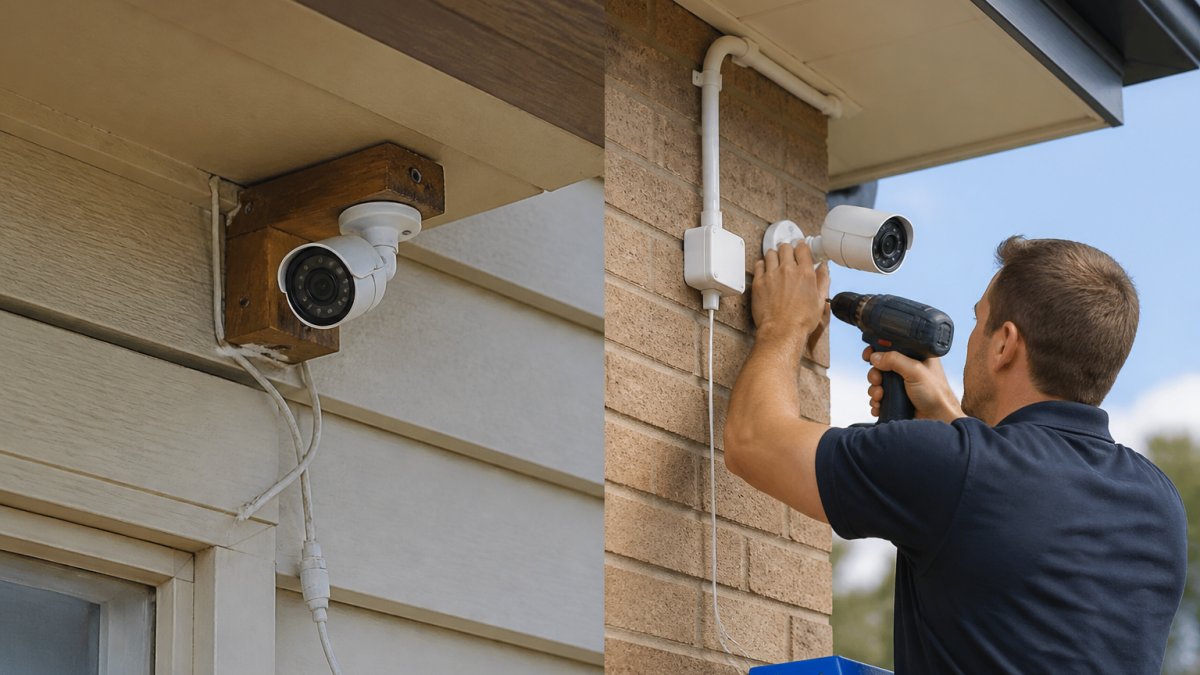
DIY installation appeals to homeowners comfortable with basic electrical work and technology setup. Wireless systems are genuinely DIY-friendly, you mount cameras, configure WiFi, and set up the mobile app. Costs stay low because you’re only paying for equipment. However, hidden costs emerge quickly. If you lack experience, camera placement may not optimise field of view, leaving blind spots. Improper cable management in wired systems can cause interference or signal degradation.
Professional installation ensures proper placement, optimal system configuration, and reliable performance from day one. Licensed technicians understand building codes, grounding requirements, and how to route cables safely without damaging existing infrastructure. They conduct site surveys to identify the best camera positions for your specific property layout. Professional installers typically provide warranties covering both labour and equipment, plus ongoing technical support. Their expertise catches issues, like inadequate power supply or WiFi dead zones, before they become problems.
A common DIY mistake is underestimating cable requirements or choosing camera locations based on convenience rather than security coverage. Poor placement leaves vulnerabilities that defeat the system’s purpose entirely.
Security System Monitoring Fees and Ongoing Costs
Installation is just the beginning. Monitoring and maintenance represent the true long-term cost of ownership.
Professional monitoring vs self-monitoring creates different financial models. Professional 24/7 monitoring services connect your system to a response centre that alerts authorities if motion is detected or alarms trigger. Self-monitoring means you receive alerts on your mobile app and decide whether to contact police. Self-monitoring saves the recurring fee but requires your active attention and response capability. Many homeowners choose professional monitoring for peace of mind, especially when away from home.
Cloud storage, mobile app access, and technical support add recurring costs that accumulate over time. Cloud storage for continuous video recording adds recurring costs depending on resolution and retention period. Mobile app access to live feeds and recorded footage is often included in cloud plans. Technical support, whether included with your system or purchased separately, adds to the cost for troubleshooting or repairs. Some systems include basic support; others charge per call.
Long-Term Total Cost of Ownership
Thinking beyond installation day reveals the true financial picture of security system ownership.
Equipment replacement and system upgrades happen whether you plan for them or not. Hard drives typically last 3-5 years before reliability degrades. Cameras may need replacement if damaged or if you want to upgrade to higher resolution. System software requires periodic updates, and older systems eventually become unsupported. Budget for component replacements. A system installed today may need significant upgrades within 7-10 years as technology advances and your security needs evolve.
Maintenance, repairs, and technical support costs vary based on system complexity and your comfort level troubleshooting issues. Annual maintenance, cleaning camera lenses, checking cable connections, and updating firmware add to the cost if you hire professionals. Emergency repairs for failed components or system outages can add to the cost depending on the issue. Homeowners who maintain systems proactively spend less on emergency repairs than those who neglect maintenance until something fails.
Privacy, Compliance, and Cybersecurity Considerations
Security systems create data that requires responsible handling. Understanding your obligations protects both your privacy and your liability. This is an area most cost guides skip entirely, yet it can add real expense if you get it wrong.
Privacy law and recording boundaries. Residential security systems fall under the Privacy Act 1988 (Cth) and, depending on your state or territory, additional surveillance devices legislation. As a general rule, you may record video on your own property, but pointing cameras at a neighbour’s private space, a shared driveway, or a public footpath creates legal risk.
Cybersecurity hardening costs. Default passwords on cameras and NVRs are a primary vulnerability, change them immediately to strong, unique credentials. Keep firmware updated, as manufacturers regularly patch security flaws. Use a separate WiFi network for security devices if your router supports network segmentation. Avoid cloud storage providers with weak encryption or poor privacy policies. These measures add little direct cost but require attention and ongoing vigilance.
A common and costly mistake is assuming that because the system is in your home, you can point cameras anywhere. Fines and civil disputes over privacy breaches can dwarf the installation cost.
Getting an Accurate Quote for Your Installation
The path from initial inquiry to final contract deserves careful navigation.
Request quotes from multiple licensed installers. Provide each with the same information: property size, layout, number of entry points, desired camera coverage, and any specific features you want (night vision, motion detection, smart home integration). Detailed specifications allow apples-to-apples comparison.
Ask installers to specify what’s included: equipment, labour hours, cable and conduit, mounting hardware, configuration, and testing. Clarify warranty terms, support availability, and whether they’ll handle future upgrades or repairs. A professional quote should include a site survey recommendation before final pricing, as accurate estimates require seeing your property in person.
At Air Conditioning & Electrical, we provide detailed site surveys and transparent quotes that account for your specific property layout and security goals. Our fully licensed technicians ensure professional installation with proper warranties and ongoing support.
Frequently Asked Questions
What factors have the biggest impact on residential security system installation cost?
Installation cost depends on system type (wired, wireless, or hybrid), the number of cameras or sensors, property size and layout, and whether you choose professional installation or DIY. A site survey helps technicians assess cable routing, power requirements, and PoE (Power over Ethernet) needs. Larger properties with more entry points or complex layouts typically incur higher labour costs. Equipment quality, storage capacity, and monitoring options also affect the total outlay.
Is wired or wireless security system installation cheaper?
Wireless systems generally have lower upfront installation costs because they require minimal cable access and no hardwiring. Wired systems demand more labour for cable routing and installation but often provide better reliability and PoE power delivery. However, wireless systems may need battery replacement and have bandwidth limitations. The choice depends on your property layout, budget, and whether you prioritise lower initial cost or long-term reliability.
How much should I budget for security camera installation cost separately from the system?
Security camera costs vary by type: CCTV cameras are affordable but require DVR recorders; IP cameras offer remote monitoring but need network infrastructure; NVR systems provide advanced features like video analytics and motion detection. Installation labour depends on camera count, mounting locations, and cable requirements. Hard drive capacity for storage also influences cost. Professional installation ensures proper field of view, night vision capability, and data retention setup, reducing future issues.
What ongoing security system monitoring fees should I expect?
Professional monitoring services provide 24/7 emergency response, though exact fees vary. Self-monitoring via mobile app is cheaper but requires your attention. Cloud storage for extended data retention adds extra fees. Technical support, warranty coverage, and system upgrades also contribute to long-term costs. When budgeting, factor in both initial installation and these recurring expenses to understand true total cost of ownership.
Getting a residential security system installation right means balancing upfront costs with long-term reliability and support. The cheapest quote rarely delivers the best value, professional installation, proper system design, and reliable ongoing support matter far more than saving a few hundred dollars on equipment. Contact Air Conditioning & Electrical today to discuss your security needs and receive a personalised installation quote tailored to your property and budget.
